Your read-later queue,
on e-ink.
Later.Ink turns your Readwise Reader, Wallabag, or Instapaper queue into a catalog your reading app already speaks (OPDS). Open it in KOReader on a Kobo or Boox, or in a reader app like Fablum on your iPhone or iPad. Every item is fetched as a clean EPUB, images and all, that reads fully offline.
No hosted instance yet. Run it yourself in a few minutes. A hosted option may come later.
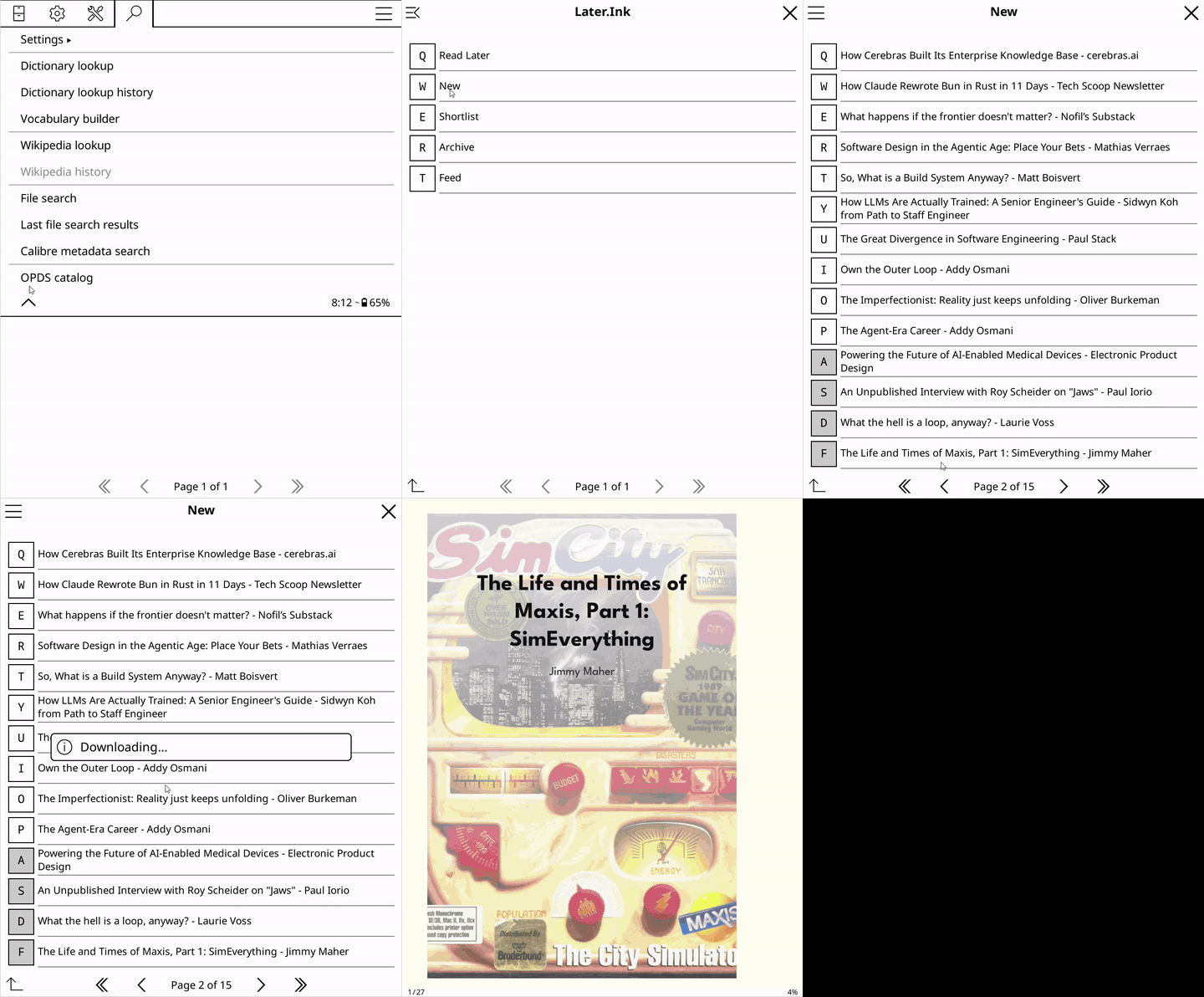
Works with your reader
iPhone & iPad
Fablum, justRead, or PocketBook
E-ink
KOReader on Kobo, Boox & more
Desktop
Thorium Reader
Android
Moon+ Reader, KOReader
Anything that speaks OPDS. There's no app from us to install; you add one catalog URL and your queue is there.
What lands in your library
Articles, newsletters, PDFs, books you've uploaded, video transcripts, tweet threads, and podcasts, each delivered as an EPUB your reader can open. (For a podcast, load its transcript in Readwise Reader first.)
Self-host it
Free and open source (MIT). Bring your own Readwise, Wallabag, or
Instapaper credentials; Later.Ink stores nothing. Run the prebuilt Docker image,
pip install later-ink, or build from source; every path is one or
two commands, then you add the catalog URL to your reader. The
README quickstart
walks through each.